Choosing the best LLM for production apps is not about picking the model with the loudest launch announcement. It is about matching quality, cost, latency, privacy, and operational risk to your product.
Here is a practical way to compare OpenAI vs Claude vs open-source LLMs.
The right answer can also change by workflow. A support chatbot, document review tool, internal agent, and high-volume classifier may each need a different model strategy.
Quick comparison
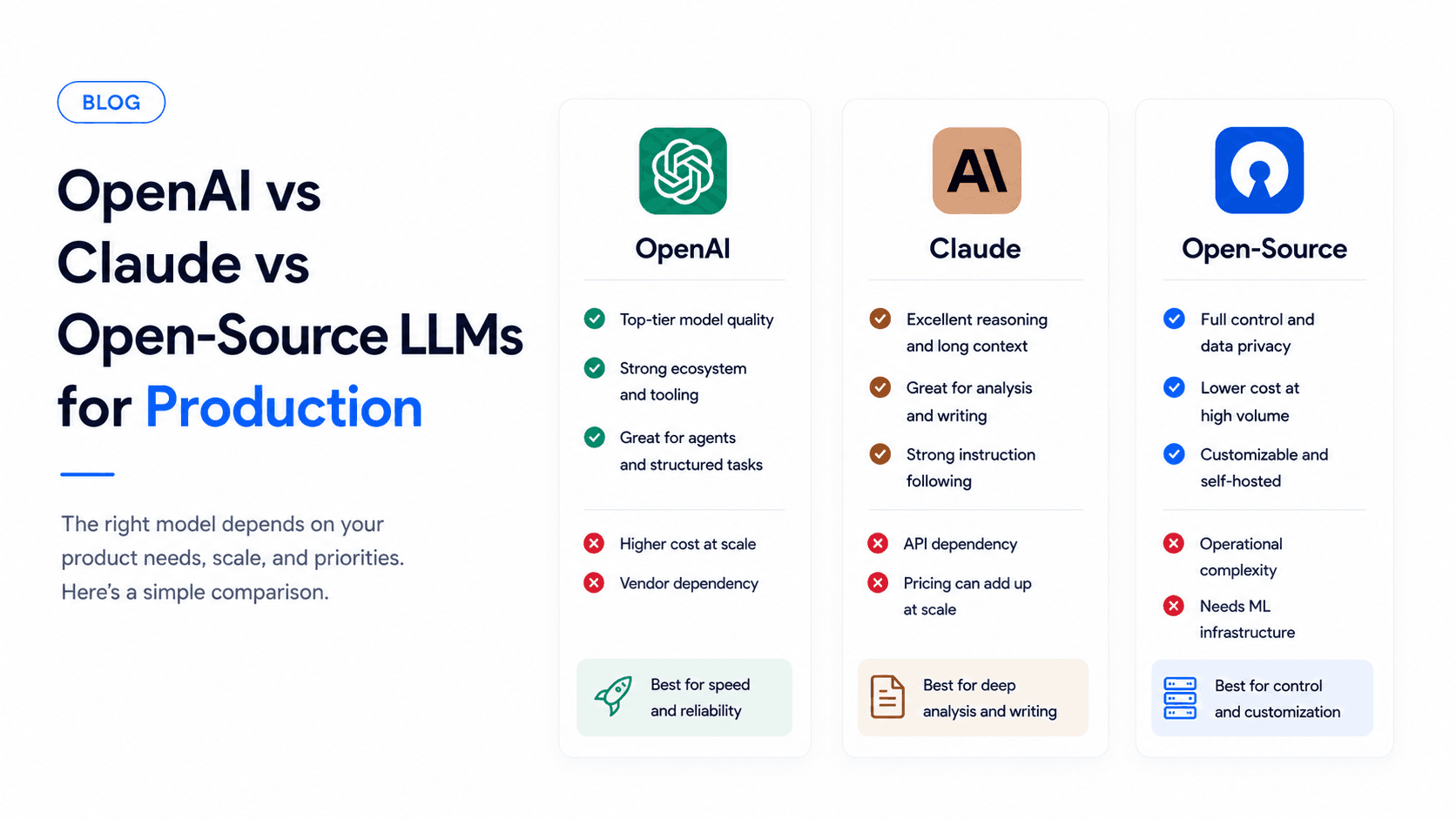
| Option | Best for | Main strength | Main tradeoff |
|---|---|---|---|
| OpenAI | Product teams shipping quickly | Strong ecosystem, tool calling, structured outputs | Vendor dependency and API cost at scale |
| Claude | Long-context reasoning and writing | Nuanced instruction following and document analysis | Still needs workflow-specific evaluation |
| Open-source LLMs | Control, privacy, and custom deployments | Hosting flexibility and customization | Infrastructure and maintenance complexity |
If you are early, speed matters. If you are scaling, unit economics and reliability matter more. If you are regulated, privacy and deployment control may drive the decision.
OpenAI: strong default for product teams
OpenAI is often a strong starting point because of model quality, tool calling, ecosystem support, and developer adoption.
It is a good fit for:
- SaaS assistants
- Agent workflows
- Structured outputs
- Prototypes that need to become production quickly
- Teams that want broad community examples
The main tradeoffs are vendor dependency, API cost at scale, and data governance requirements depending on your use case.
OpenAI is especially useful when your app needs reliable structured outputs, tool calls, function calling, and broad framework support. Many teams start here because there are more examples, libraries, and production patterns available.
Watch for:
- Token costs as usage grows
- Rate limits during spikes
- Model behavior changes after upgrades
- Data handling requirements for customer information
- Over-reliance on one provider for critical workflows
Claude: strong for reasoning and long context
Claude is often excellent for nuanced writing, long-context tasks, analysis, and workflows where instruction following matters.
It is a good fit for:
- Document analysis
- Support drafting
- Research workflows
- Internal knowledge assistants
- Tasks with long prompts or many source documents
The tradeoffs are similar: API dependency, pricing considerations, and the need to test behavior against your exact workflow.
Claude can be a strong fit when answers depend on multiple source documents, subtle policy interpretation, or careful writing. It is often worth testing for support, research, compliance review, and internal knowledge workflows.
Watch for:
- Latency on very long-context prompts
- Cost when sending large documents repeatedly
- Tooling differences from your existing stack
- Edge cases where style is good but grounding still needs verification
Open-source LLMs: best when control matters
Open-source models can be the right choice when you need more control over hosting, data locality, customization, or unit economics at scale.
They are a good fit for:
- Sensitive internal deployments
- High-volume classification
- Custom fine-tuned tasks
- On-prem or private cloud requirements
- Teams with ML infrastructure experience
The tradeoff is operational complexity. You own hosting, scaling, monitoring, optimization, and model upgrades.
Open-source LLMs make more sense when you have a clear reason for ownership:
- You need private cloud or on-prem deployment
- You have very high volume for a narrow task
- You need to fine-tune on proprietary examples
- You want more control over model versions
- You already have infrastructure talent
For many startups, open-source is better as a second-stage optimization than the first version.
Cost, latency, and reliability
Production model choice is partly an economics problem.
Costs include:
- Input and output tokens
- Embedding or retrieval calls
- Retries after malformed responses
- Longer context windows
- Logging and monitoring
- Engineering time to maintain prompts and evals
Latency matters too. A model that is great for background analysis may be too slow for chat. A cheaper model may be fine for classification but weak for customer-facing answers.
Good production systems often use different models for different tasks:
- Fast, cheaper model for classification
- Stronger model for final customer-facing responses
- Long-context model for document-heavy tasks
- Open-source model for high-volume internal processing
Privacy and data governance
Before choosing a provider, map the data that will pass through the model.
Ask:
- Does the prompt include customer data?
- Does it include financial, health, legal, or employee information?
- Does the model need access to internal documents?
- Are there regional data residency requirements?
- Who can view logs and transcripts?
- How long should conversation history be stored?
The model provider is only one part of privacy. Your app also needs access control, redaction, secure logging, and clear retention rules.
How to choose for production
Evaluate models on your own tasks, not generic benchmarks. Build a small test set with expected outputs and score:
- Accuracy
- Refusal behavior
- Latency
- Cost per successful task
- Structured output reliability
- Retrieval quality
- Failure modes
Add examples from real product usage:
- Easy happy-path requests
- Ambiguous user inputs
- Missing-context questions
- Prompts that should be refused
- Long documents
- Tool calls or JSON outputs
- Customer complaints
- Edge cases from past support or sales conversations
The best model is the one that performs reliably on your actual workflow, not the one that wins a public benchmark.
Build evals before scaling
For production apps, evals are not optional. They help you change prompts, retrieval settings, or models without guessing.
A simple eval process:
- Collect 50 to 200 realistic tasks
- Define what a good answer looks like
- Run each model on the same inputs
- Score quality, grounding, latency, and cost
- Review failures manually
- Re-run the test set before major changes
You do not need a perfect eval system at the start. Even a spreadsheet with examples, expected behavior, and notes is better than relying on vibes.
Use a model router when needed
Many production apps should not use only one model forever. A router can send simple tasks to cheaper models and complex tasks to stronger models.
This keeps quality high while controlling cost.
A router can decide based on:
- Task type
- User plan
- Required latency
- Context size
- Risk level
- Confidence score
- Tool requirement
For example, a support system might use a cheaper model to classify tickets, Claude for long policy questions, OpenAI for structured tool calls, and a fallback model if the primary provider is unavailable.
Fallbacks and provider risk
If AI is part of your product experience, plan for provider failures.
Fallback options:
- Retry with shorter context
- Use a smaller model for degraded mode
- Queue background jobs
- Show a safe fallback message
- Route to human review
- Temporarily disable risky actions
Provider outages are not the only risk. Model updates, pricing changes, rate limits, and API behavior changes can also affect production systems.
When to fine-tune
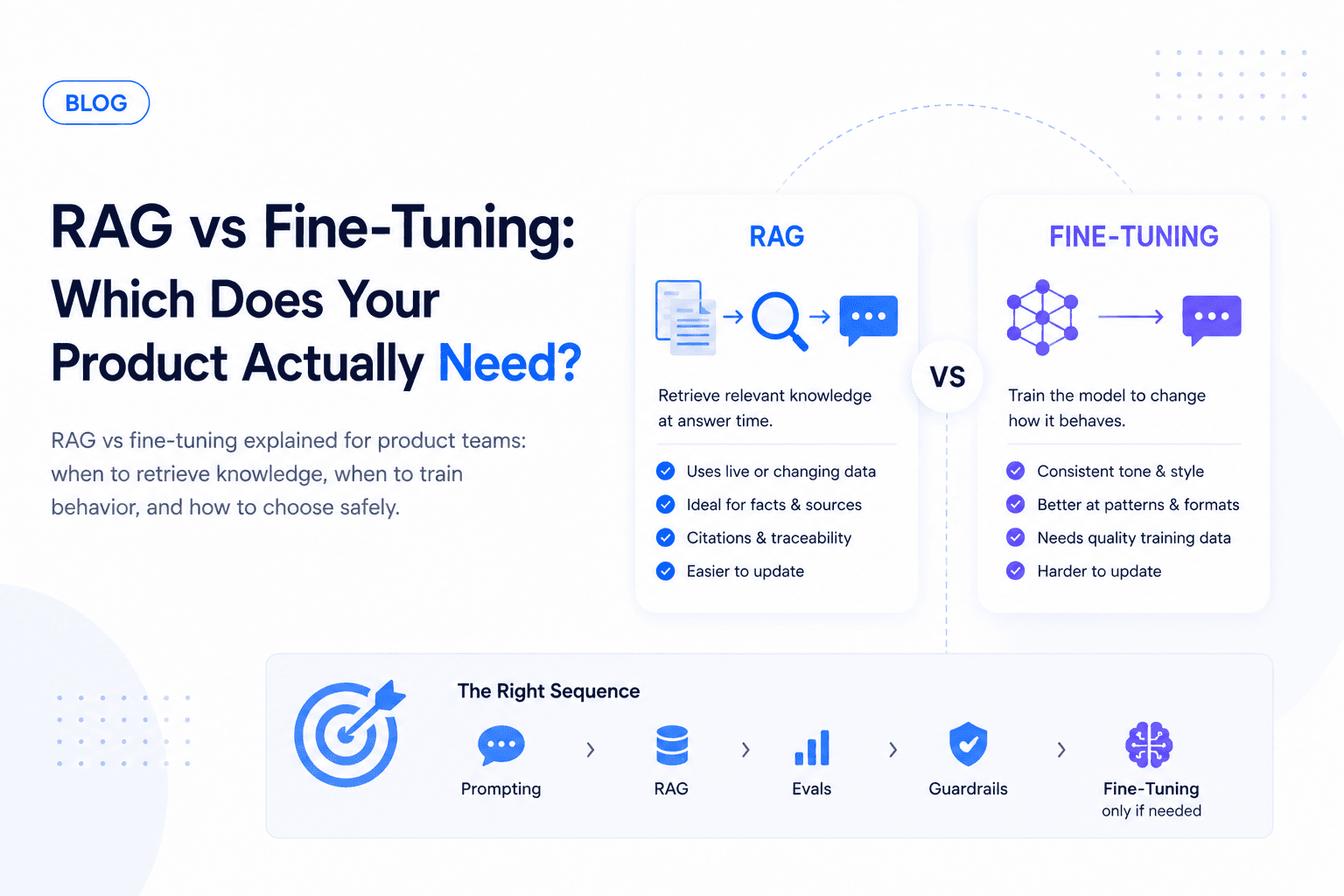
Fine-tuning is useful for narrow, repeatable tasks where prompt engineering and retrieval are not enough.
Good fine-tuning candidates:
- Classification
- Extraction
- Style-consistent drafting
- Domain-specific formatting
- Repetitive support or sales workflows
Poor fine-tuning candidates:
- Frequently changing knowledge
- Tasks that need fresh documents
- Workflows where retrieval solves the problem
- Problems caused by unclear product policy
For most apps, start with prompting, retrieval, and evals. Consider fine-tuning only after you know the task is stable and high-volume.
A practical rollout plan
Phase 1: Start with a managed model
Use OpenAI or Claude to validate the workflow quickly. Focus on product experience and evals.
Phase 2: Add observability
Track latency, cost, failure modes, refusal behavior, user feedback, and unsupported answers.
Phase 3: Add routing
Split simple and complex tasks across models based on quality and cost.
Phase 4: Consider open-source or custom deployment
Move high-volume, sensitive, or narrow tasks to open-source models when the savings or control justify the operational cost.
Final recommendation
Start with the strongest managed model that lets you validate quickly. Add routing, caching, or open-source models when usage patterns justify the extra complexity.
Ownex Labs helps teams choose, evaluate, and ship production AI systems. Talk to us before you lock in a model strategy.