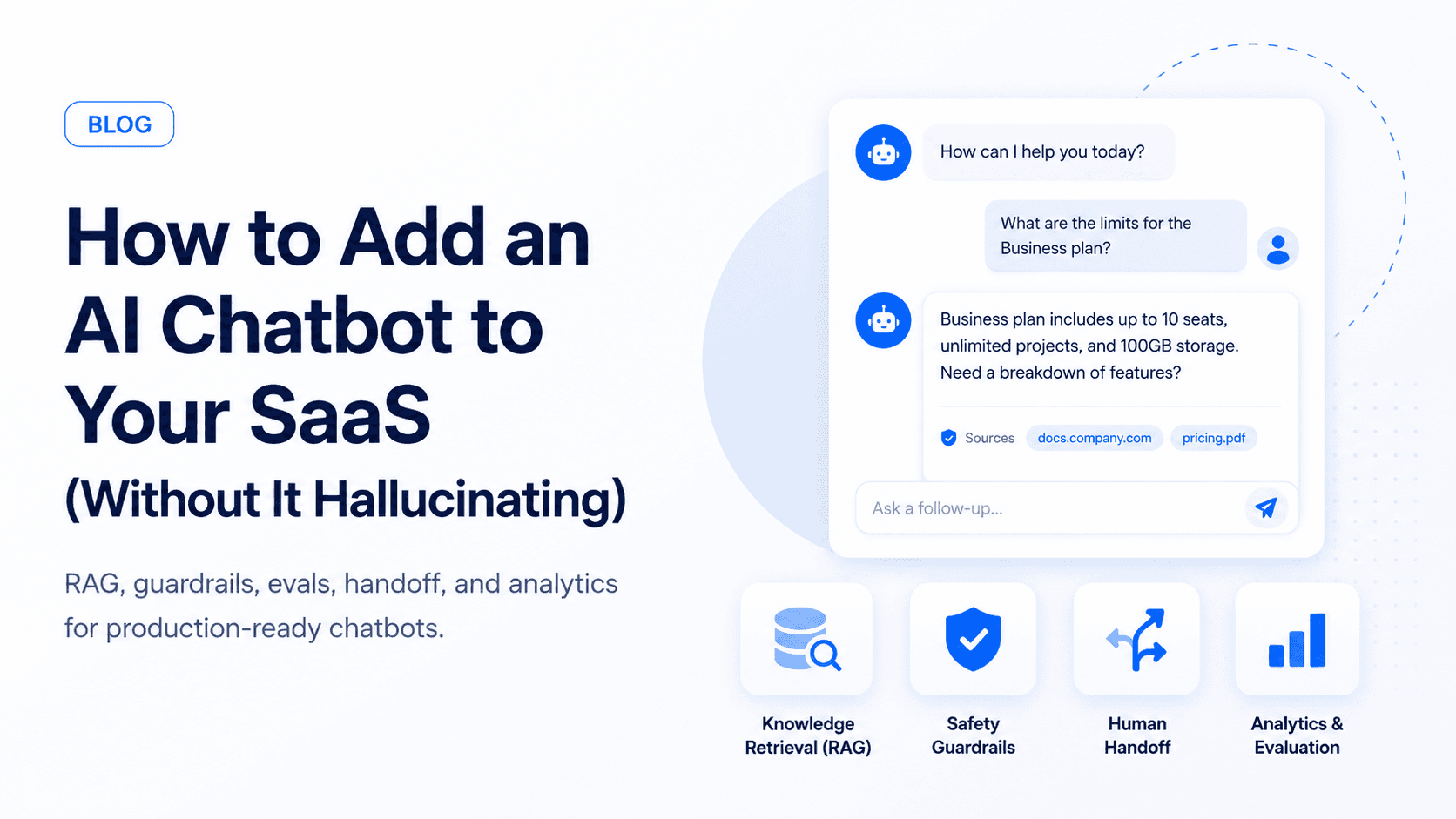
Adding an AI chatbot to a SaaS product is easy. Making it accurate, safe, and useful enough for real customers is the hard part.
This guide covers how to add an AI chatbot to your SaaS without letting it invent answers, expose private data, or frustrate users.
Start with the job, not the model
Before choosing OpenAI, Claude, or an open-source model, define the chatbot's actual job:
- Answer product questions
- Help users complete onboarding
- Search account-specific data
- Draft support replies for your team
- Trigger actions like booking, refunds, or plan changes
Each job needs different permissions, retrieval, and safety controls.
The first version should usually have one primary job. "Answer onboarding questions for new users" is a better starting point than "be an AI assistant for everything in the product." Narrow scope makes quality easier to measure and mistakes easier to contain.
Choose the right chatbot architecture
Most SaaS chatbots fit into one of three patterns:
| Pattern | Best for | Risk level |
|---|---|---|
| Documentation assistant | Help center, onboarding, feature questions | Low |
| Account-aware assistant | Usage, billing, settings, project data | Medium |
| Action-taking assistant | Refunds, plan changes, booking, workflow automation | High |
Start with the lowest-risk pattern that still creates value. If the bot only needs to answer product questions, keep it read-only. If it needs account data, add strict tenant filtering. If it can take action, require confirmations, audit logs, and rollback paths.
Use RAG for product knowledge
Retrieval-augmented generation, usually called RAG, lets the chatbot answer from your docs, help center, database, or internal knowledge base.
A basic RAG pipeline looks like this:
- Split trusted content into chunks
- Create embeddings for each chunk
- Retrieve relevant chunks for the user's question
- Ask the model to answer only from retrieved context
- Show citations or source links when possible
Prepare your knowledge base first
Bad source material creates bad chatbot answers. Before building embeddings, clean the content the model will rely on.
Look for:
- Old help articles that describe removed features
- Duplicate docs with slightly different instructions
- Screenshots or videos without text explanations
- Internal notes that should never be shown to customers
- Product names, plan names, or pricing details that changed recently
Your chatbot should also know what content is public, what is customer-specific, and what is internal-only. Treat this as product information architecture, not just AI setup.
Keep SaaS tenant data isolated
For SaaS products, account-specific answers are where the chatbot becomes useful and risky. If a user asks "what is my current usage?" or "why did my invoice increase?", the bot needs private account data.
That means every retrieval query and every tool call must include tenant boundaries:
type ChatContext = {
  userId: string;
  tenantId: string;
  role: 'owner' | 'admin' | 'member';
};

async function searchAccountDocs(query: string, context: ChatContext) {
  return vectorSearch({
    query,
    filters: {
      tenantId: context.tenantId,
      visibility: ['public', 'customer'],
    },
  });
}
The important part is not the exact code. The important part is that tenantId and permissions are enforced by the backend, not trusted from the model's text output.
Add guardrails before launch
Production chatbots need rules around what they can and cannot do:
- Refuse questions outside the product scope
- Never reveal system prompts or private data
- Ask clarifying questions when context is missing
- Use structured tool calls instead of free-form actions
- Escalate billing, legal, medical, or high-risk issues to humans
For SaaS products, the most important guardrail is tenant isolation. A user from Company A must never retrieve or infer Company B's data.
Make actions explicit and reversible
If your chatbot can do more than answer questions, define actions as structured tools. Do not let the model freely decide how to change customer data.
Good first actions:
- Create a support ticket
- Draft a reply for a human to approve
- Start an onboarding checklist
- Schedule a demo or handoff call
- Update a low-risk preference after confirmation
Actions that need stricter controls:
- Canceling subscriptions
- Issuing refunds
- Changing plan limits
- Deleting data
- Sending emails to customers
Build a small eval set
Create 30 to 100 realistic questions before launch. Include:
- Easy documentation questions
- Ambiguous user questions
- Questions with outdated docs
- Questions the bot should refuse
- Account-specific questions
Run this eval set whenever you change prompts, models, retrieval settings, or documents.
You can score each answer with simple categories:
- Correct: answer is accurate and grounded in sources
- Partially correct: useful, but missing an important caveat
- Unsupported: answer may be true, but the retrieved sources do not prove it
- Refused correctly: the bot declined a risky or out-of-scope request
- Escalated correctly: the bot handed off instead of guessing
The goal is not to reach perfection before launch. The goal is to know which failures are acceptable, which are dangerous, and which ones need product changes.
Add human handoff
The best SaaS chatbots admit when they are unsure. Give users a clean path to:
- Contact support
- Create a ticket
- Email a transcript
- Request a human review
This protects trust and gives your team the data needed to improve the system.
Track the right analytics
After launch, measure more than message count. A busy chatbot is not automatically a useful chatbot.
Track:
- Resolution rate: how often users get an answer without support
- Escalation rate: how often the bot hands off
- Deflection quality: whether users return with the same issue later
- Source coverage: which questions fail because docs are missing
- User feedback: thumbs up/down with optional comments
- Cost per conversation: model and retrieval cost by usage volume
Review transcripts weekly during the first month. Most improvements will come from better docs, tighter retrieval, clearer refusals, and small UX changes.
Common mistakes to avoid
Teams usually get into trouble when they move too fast from demo to production.
Avoid these mistakes:
- Launching with broad instructions like "answer anything about our company"
- Letting the model see data before permissions are checked
- Hiding citations because they make the UI cleaner
- Using only happy-path test questions
- Ignoring support team feedback
- Giving the bot write access before read-only answers are reliable
30-day launch checklist
Before putting the chatbot in front of real customers, make sure you have:
- A narrow first use case
- Clean source docs
- Tenant-aware retrieval
- Clear refusal rules
- A small eval set
- Human handoff
- Basic analytics
- Transcript review process
- A way to disable risky features quickly
What to ship first
For most SaaS teams, the first version should be a support and onboarding assistant with read-only access. Once it performs well, add account-aware answers and carefully approved actions.
If you want to add a chatbot to your SaaS without turning it into a risky demo, talk to Ownex Labs. We can scope the smallest useful version and build the evals around it from day one.