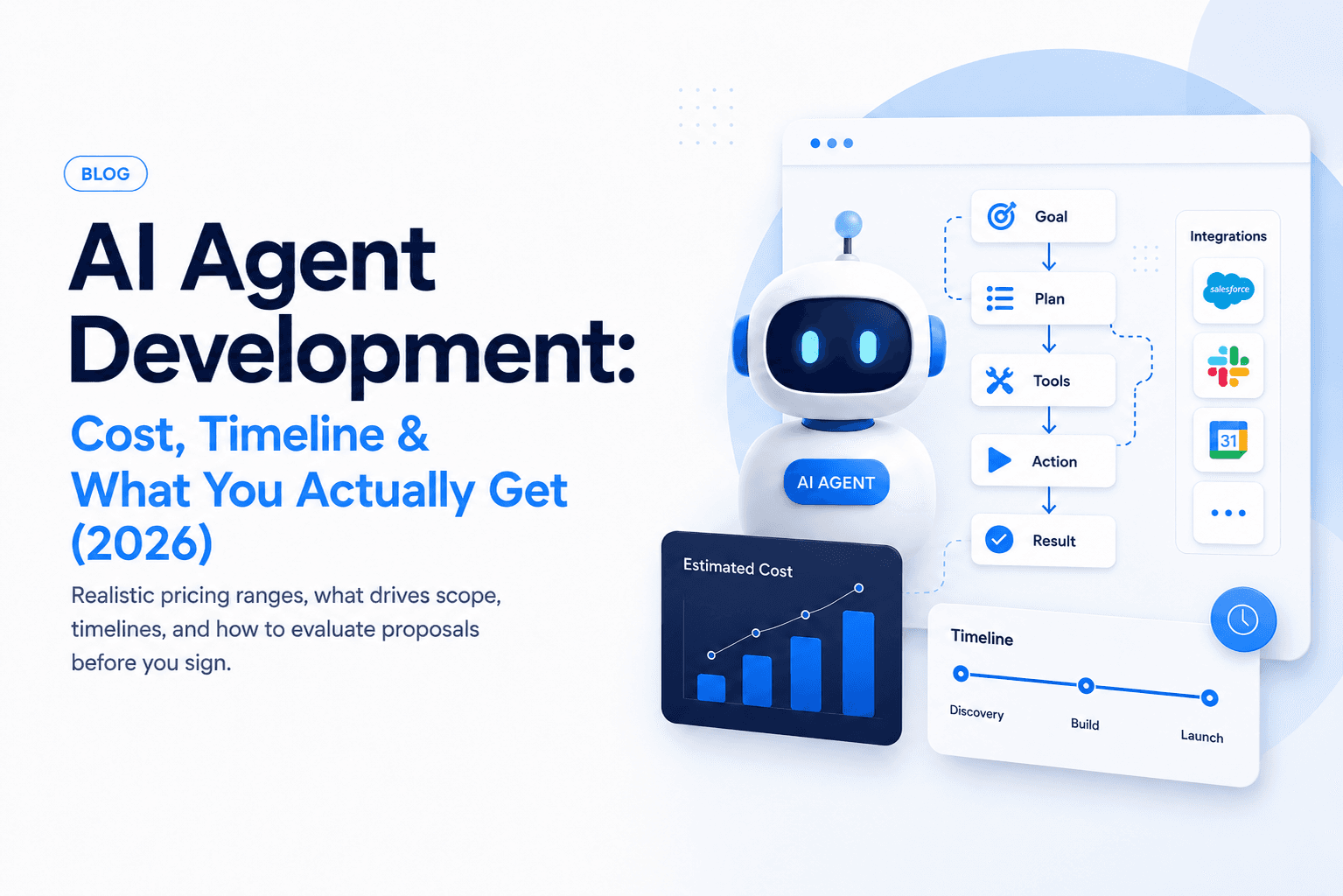
Planning an AI agent project starts with one question founders ask us most: what does AI agent development actually cost? The honest answer is a range, because "agent" can mean anything from a scripted workflow to a multi-tool system with evals, guardrails, and human handoff.
What counts as AI agent development?
An AI agent is software that can reason over a goal, choose actions, and use tools (APIs, databases, browsers, CRMs) without you micromanaging every step. That is different from a basic chatbot that only returns text.
Common agent scopes we build at Ownex Labs:
- Support agents: triage tickets, pull account data, draft replies, escalate edge cases
- Ops agents: sync data between systems, run scheduled workflows, flag anomalies
- Sales agents: enrich leads, draft outreach, update the CRM, book meetings
AI agent development cost ranges (2026)
These ranges reflect typical engagements we see for production-ready systems, not proof-of-concept demos.
| Scope | Timeline | Typical cost (USD) |
|---|---|---|
| Single-workflow MVP agent | 2–4 weeks | $8k – $20k |
| Multi-tool agent + admin dashboard | 6–10 weeks | $25k – $60k |
| Enterprise agent platform (evals, RBAC, audit) | 3–6 months | $80k – $250k+ |
The biggest mistake is comparing quotes by price alone. A $12k agent that only works in a controlled demo is not cheaper if your team spends the next three months fixing missing auth, bad handoffs, and unreliable outputs.
For most founders, the better question is: what level of reliability do we need for this workflow? A lead enrichment agent can tolerate occasional review. A billing, healthcare, or legal agent needs stricter controls from day one.
Three realistic budget tiers
1. MVP agent: $8k - $20k
This is the right tier when you want to prove one workflow with a small group of users. The agent usually has one job, one or two integrations, and simple reporting.
Typical examples:
- Qualify inbound leads and draft CRM notes
- Answer support questions from a narrow knowledge base
- Summarize calls or tickets and suggest next steps
- Run a scheduled back-office workflow with human approval
At this stage, you should expect a working product, but not a fully generalized platform. The scope should be narrow enough that quality can be tested manually and improved quickly.
2. Production workflow agent: $25k - $60k
This tier is for teams that already know the workflow matters and need the agent to run reliably inside day-to-day operations. It usually includes deeper integrations, a better admin experience, monitoring, retries, and permission handling.
Typical examples:
- Customer support agent connected to tickets, billing, and product docs
- Sales ops agent that enriches leads, writes outreach, and updates the CRM
- Internal operations agent that handles approvals, reminders, and reporting
- RAG-based agent with source citations, feedback loops, and fallback paths
This is where many serious business use cases land. The work is less about "make the model answer" and more about building the product around the model so humans can trust it.
3. Agent platform: $80k - $250k+
This tier is for companies building agents as a core product capability, not just an internal tool. The system may support multiple roles, multiple agents, audit trails, eval dashboards, data pipelines, and custom deployment requirements.
Typical examples:
- Multi-agent support platform with quality tracking
- Regulated workflow automation with approvals and audit logs
- Customer-facing AI product with account-level permissions
- Enterprise agent layer across several internal systems
What increases cost?
Several factors move you from the lower end to the upper end:
- Number of integrations: each API (CRM, billing, calendar) adds design, auth, and failure handling
- Guardrails & evals: production agents need test suites, regression checks, and monitoring
- Human-in-the-loop: approval flows, audit logs, and role-based access add UX and backend work
- Voice or realtime: latency, telephony, and streaming increase engineering complexity
Other cost drivers are less obvious:
- Messy data: scattered PDFs, old help docs, duplicate CRM fields, and missing metadata slow down retrieval quality
- Ambiguous decisions: if humans cannot agree on the right action, the agent will not magically know it either
- Strict compliance: healthcare, finance, legal, and HR workflows often require extra review, redaction, and logging
- Custom UI: dashboards, approval screens, analytics, and role-specific views can take as much work as the agent itself
- Post-launch learning: real users will reveal edge cases that were not visible during discovery
What monthly costs should you expect?
The build cost is only one part of the budget. After launch, you should also plan for model usage, hosting, monitoring, and maintenance.
| Cost category | Typical monthly range | Notes |
|---|---|---|
| LLM usage | $50 - $2,000+ | Depends on volume, model choice, context size, and retries |
| Vector database / search | $0 - $500+ | Some products can start with built-in database search |
| Hosting and background jobs | $30 - $500+ | Higher for realtime, scraping, queues, or heavy processing |
| Monitoring and logging | $0 - $300+ | Useful once the agent touches real customer workflows |
| Maintenance and improvements | $1k - $10k+ | Depends on release pace and business criticality |
For an early-stage MVP, monthly infrastructure can stay low. For a production agent handling thousands of tasks, the ongoing budget should be treated like product operations, not a one-time experiment.
What does the timeline include?
AI agent timelines are often underestimated because people only picture the model layer. In practice, the timeline includes discovery, workflow design, integration work, testing, deployment, and iteration.
Week 1: Scope and workflow design
We define the job, user roles, data sources, tools, edge cases, and success metrics. This is where the project becomes smaller and clearer.
Weeks 2-3: Prototype and integration path
The first working version connects the agent to the minimum set of tools. The goal is to test whether the workflow is technically and operationally viable.
Weeks 4-6: Productization
The team adds authentication, error handling, logs, admin controls, human approval flows, and a cleaner UI. This phase turns a prototype into something a team can actually use.
Weeks 7-10: Evaluation and hardening
For more serious agents, this is where eval datasets, regression tests, monitoring, rate limits, and fallback behavior are tightened.
What you should expect in the deliverables
A credible proposal should spell out more than "we'll build an AI agent." Look for:
// Example: a minimal agent loop you should expect under the hood
async function runAgent(goal: string, tools: Tool[]) {
  const plan = await planner.createPlan(goal);
  for (const step of plan.steps) {
    const tool = tools.find((t) => t.name === step.tool);
    const result = await tool.execute(step.input);
    await memory.save(step, result);
  }
  return memory.summarize();
}
At minimum, you should receive:
- Architecture diagram and tool inventory
- Prompt + retrieval strategy (if applicable)
- Error handling and fallback paths
- Logging/monitoring hooks
- Documentation and a handoff session
For a production engagement, we also like to see:
- A list of actions the agent is allowed to take automatically
- A list of actions that require human approval
- Example success and failure cases
- A rollback or disable switch for risky workflows
- Ownership of prompts, code, data schemas, and deployment credentials
Fixed price vs monthly retainer vs in-house
There is no single best pricing model. The right structure depends on how much uncertainty exists.
| Model | Best for | Watch out for |
|---|---|---|
| Fixed-price build | Clear MVP scope with known integrations | Change requests can get expensive if scope is vague |
| Monthly product sprint | Evolving product with active users | Needs strong prioritization to avoid drifting |
| In-house team | Long-term AI product capability | Hiring senior AI/product engineers takes time |
For most startups, a focused fixed-price MVP followed by monthly iteration is the cleanest path. You validate the workflow first, then invest more once usage data proves the value.
How to reduce AI agent development cost
You can keep the budget under control by making the first version narrower, not weaker.
Good ways to reduce scope:
- Start with one user role
- Connect one or two important tools first
- Use human approval before automatic execution
- Launch with a small internal team before customers
- Use existing dashboards instead of building a custom admin panel immediately
- Measure one success metric instead of tracking everything
Bad ways to reduce scope:
- Skipping logs
- Skipping error handling
- Ignoring data quality
- Letting the agent take high-risk actions without review
- Treating prompts as the whole product
Questions to answer before asking for a quote
You will get a much better estimate if you can answer these before discovery:
- What exact task should the agent complete?
- Who reviews or approves its output?
- Which systems does it need to read from or write to?
- What data is private, sensitive, or regulated?
- What does a bad answer cost the business?
- How many tasks should it handle per day or month?
- What would make the first version successful after 30 days?
If you do not know all the answers yet, that is fine. A good discovery process should help you make these decisions before writing production code.
How to evaluate proposals
Before signing, ask vendors:
- What happens when the agent is wrong?
- How do you measure quality over time?
- Who owns the prompts, eval datasets, and infrastructure?
- Which integrations are included in the quote?
- What is explicitly out of scope?
- How will we know the agent is improving?
If answers are vague, treat the quoted AI agent development cost as a demo budget, not production.
Next steps
If you are scoping an agent for support, sales, or internal ops, book a consult with our team. We will help you map the smallest useful version first, then expand with clear milestones.
Related reading: see how we applied agent-style automation on the Ownex HQ project.